Open the provider’s demo
Choose Play Demo on Pixmove’s product page. The balance in the client we checked read CASH (DMO). Open Menu, then Rules, before you spin. See our demo guide for help with loading.
We read the English Rules on 16 October 2026 without spinning, starting Auto or buying a feature. For phone and installation questions, see mobile access.
Read the controls before starting
| Control | Function and limits |
|---|---|
| Spin | Takes the selected bet and starts a round. Press Spin again during play to speed up the reel animation, as described in the Rules. |
| Plus / Minus | Increase or decrease the displayed bet before starting. |
| Menu / Rules | Open Menu, then Rules, to read the game instructions. That path opened the English rulebook in the demo we checked. |
| Auto | Opens autoplay settings. Auto repeats spins at the same bet. Press Auto again to stop the sequence. |
| Turbo | Enables or disables turbo spin mode. |
| Sound | Enables or disables in-game sound. |
| Buy bonus | Opens four guaranteed starting-tool options at a higher displayed bet. The rules guide lists the observed demo prices; selecting a tool does not guarantee a profit. |
Check the bet and its units before you spin. Spin deducts the selected bet. Auto repeats that bet, so a sequence can spend several stakes. Turbo and reel acceleration change how the spin is shown. The Rules give no indication that either improves payouts. Buy Bonus has its own prices.
Minimum bet, maximum bet and Bonus Buy
On 19 October 2026, the official demo’s Buy Bonus menu showed a base-bet range of 10–20,000 DMO. That range applies to the demo menu we saw. Read the amounts and units in your own client before you spin. A screenshot’s default bet tells you neither the minimum bet nor what you’d need to deposit. See game stakes and deposit limits.
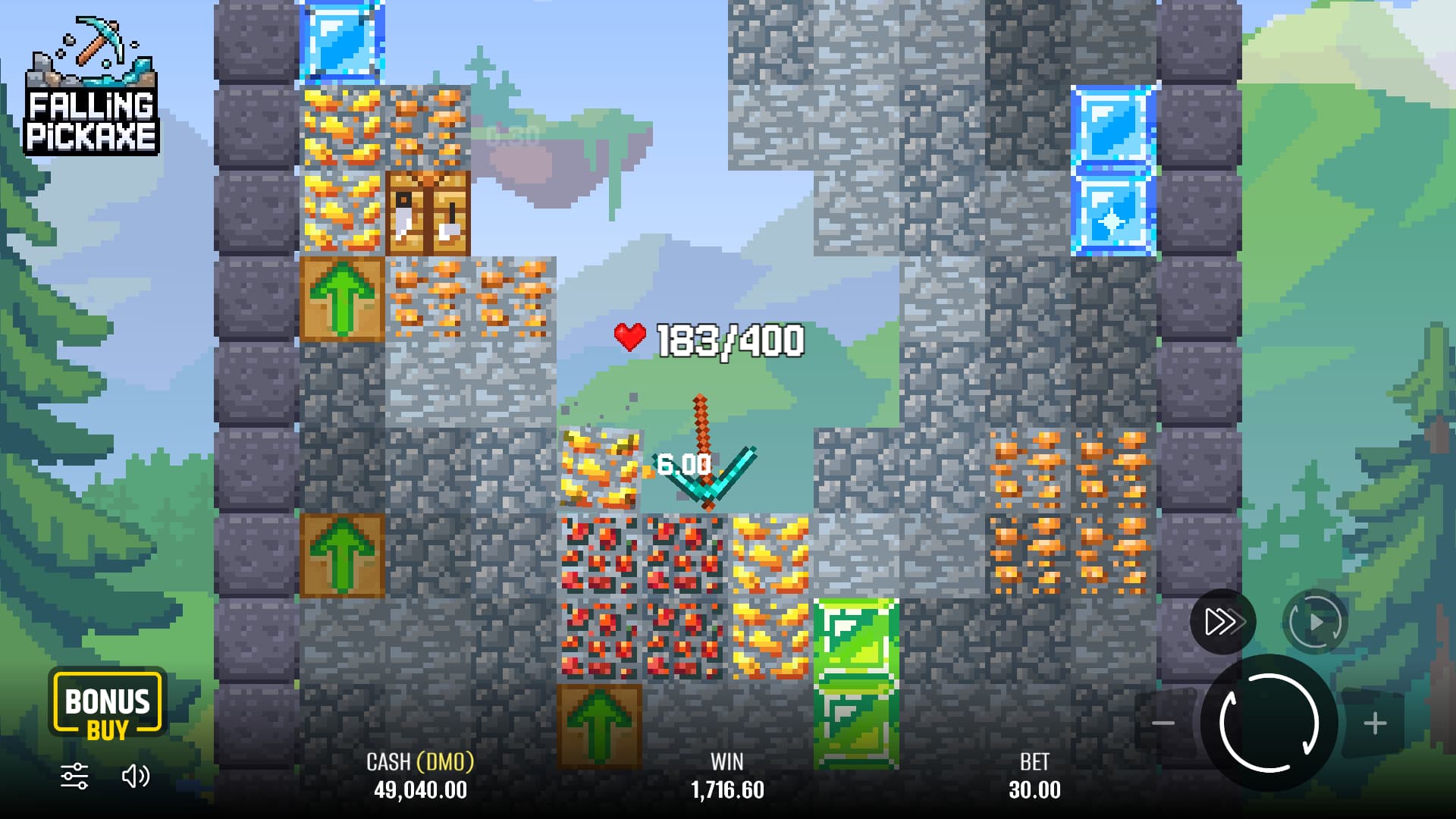
Buy Bonus guarantees the named starting tool at a higher displayed bet. It is a game feature, not a deposit bonus or free-spins promotion. The menu showed four options:
| Guaranteed starting tool | Starting HP stated by the menu | Bet at base 10 DMO | Bet at base 30 DMO | Displayed bet ÷ base bet |
|---|---|---|---|---|
| Wooden | 100 | 29.90 | 89.70 | 2.99× |
| Stone | 150 | 56.50 | 169.50 | 5.65× |
| Iron | 200 | 84.40 | 253.20 | 8.44× |
| Diamond | 400 | 105.00 | 315.00 | 10.50× |
The last column divides each displayed price by the base bet. The cards say “bet will be”, so read that amount as the displayed bet for the feature. It tells you neither the payout nor a separate RTP. We read the menu without pressing ACTIVATE, buying a tool or spinning. Even a guaranteed pickaxe can return less than it costs.
Follow the round from start to result
1. Set the stake
Use Plus or Minus to set the stake. Read the amount and check whether the balance is in demo credits or money.
2. Start the reel
Press Spin after checking the amount. The reel can land on Cross, Wooden, Stone, Iron or Diamond. If it lands on Cross, the round has no mining sequence.
After seven Cross outcomes in a row, the eighth spin awards one of the four pickaxes. The rule guarantees a tool. The payout can still fall short of the stake.
- Spin 1Cross
- Spin 2Cross
- Spin 3Cross
- Spin 4Cross
- Spin 5Cross
- Spin 6Cross
- Spin 7Cross
- Spin 8Pickaxe
The guarantee tells you when you’ll receive a pickaxe. The rule gives no odds for the four tiers or for making back what you’ve spent.
3. Follow the tool and block HP
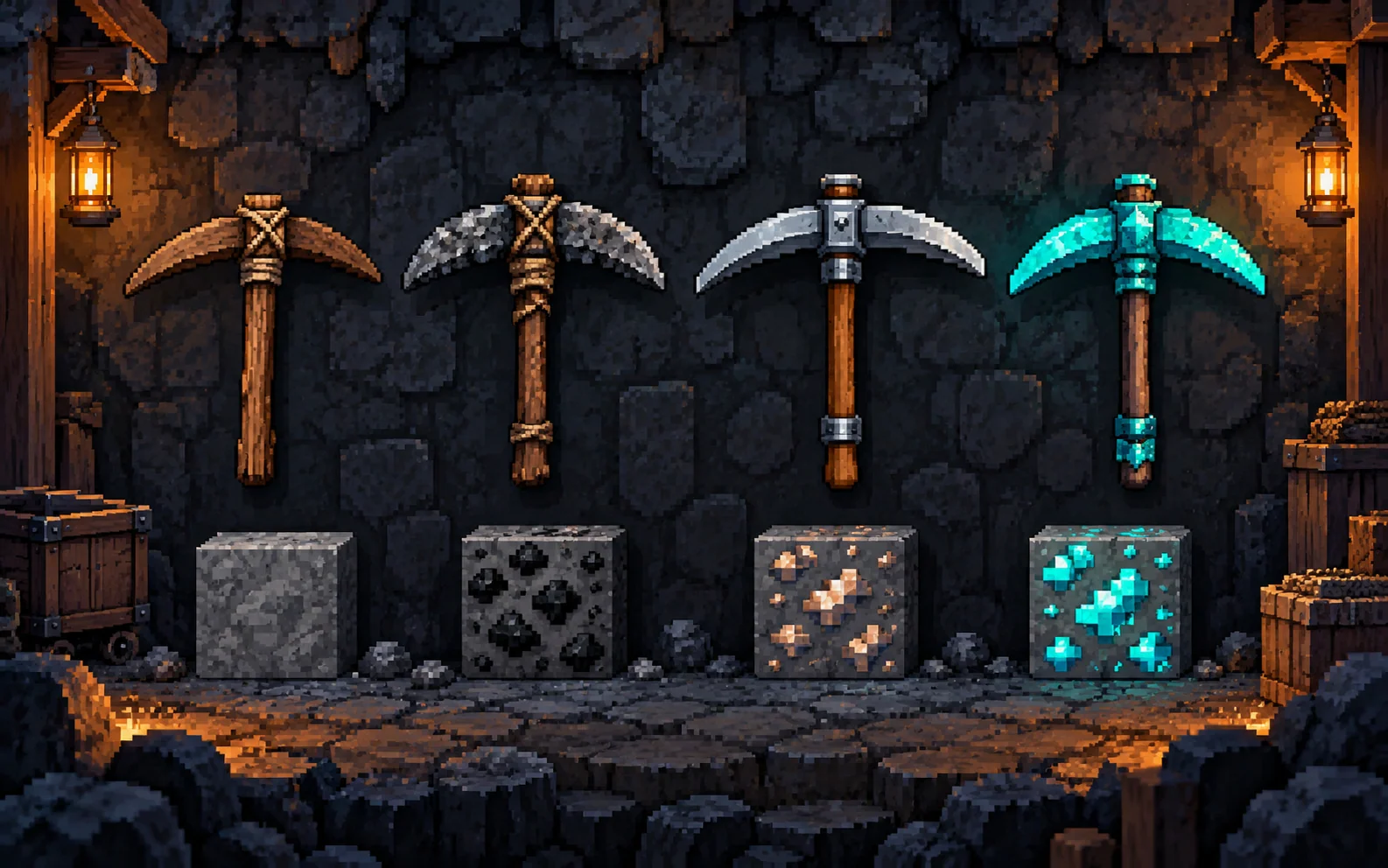
Once the tool starts falling, each ordinary hit takes one HP from it and one from the block it strikes. The block breaks at zero HP. If it’s ore, its award goes into the running total.
Watch the two HP counters separately. Special blocks can clear nearby blocks, temporarily enlarge the tool, or repair it and move it up a tier. See Pickaxes & Blocks for the effects.
4. Read the completed result
At zero pickaxe HP, the game pays the total from the blocks you broke. The Rules we read give no control for cashing out during the fall.
Compare the final award with the stake and any separately accepted cost. An award can be positive yet smaller than the stake. The payout guide explains the arithmetic and distinguishes round settlement from an account withdrawal.
Example of a mining sequence
Suppose you set a stake and the reel awards a Wooden pickaxe. Its fall starts with the durability listed in the tool reference. Hits consume HP, destroyed ore adds awards, and a Workbench, if the tool strikes one, repairs it and upgrades its tier. At zero tool HP, the accumulated result is awarded under the Rules.
That example shows the order of events. We didn’t play it. A Cross would give you no tool, and the example predicts no depth, ore count or payout.
Before moving beyond the demo
Read common mistakes before treating the animation as a signal for the next result. The operator listings guide explains catalogue identity and access conditions; a listing alone is not proof that an account can play from your location.

Pixmove supplied the portrait image above. We read the rules in a desktop session and didn’t test that layout on a phone.
Frequently asked questions
Does stopping Auto collect the current mining amount?
No manual cash out is described. Stopping Auto interrupts repeated spins.
Can I steer the falling pickaxe?
The controls we checked don’t describe steering or choosing a landing spot. A browser game with the same name may use different controls.
Do I need to use Bonus Buy?
No. A standard spin uses the starting reel. Buy Bonus is an optional, higher-priced way to guarantee a named starting pickaxe; it is not needed to read the Rules or start an ordinary spin.
Sources and scope
Pixmove’s product page gives the published figures. We read the English Rules in the demo to check how the game works. The dates below show when we consulted each source. We didn’t test paid rounds, autoplay, purchases or withdrawals.
- Pixmove product pageProvider statement · consulted 2026-10-16
Pixmove’s published game figures and description. We didn’t independently audit its mathematics.
- Rules in Pixmove’s official demoOfficial Rules · consulted 2026-10-16
We opened Play Demo and read the English Rules on 16 October 2026. They cover the reel, HP, awards, effects, controls and settlement. We didn’t spin, start Auto or buy a feature. The client showed no build number.
- Pixmove official demo: Buy Bonus menuProvider statement · consulted 2026-10-19
Buy Bonus showed Wooden, Stone, Iron and Diamond at 100, 150, 200 and 400 HP. At 10 DMO the bets displayed were 29.90, 56.50, 84.40 and 105.00. At 30 DMO they were 89.70, 169.50, 253.20 and 315.00. The menu showed a 10–20,000 DMO base-bet range. We didn’t press ACTIVATE, Spin or Auto. These are demo prices and limits. We didn’t audit the feature’s RTP.

Written by
Mark Roberts writes the English guides to Falling Pickaxe and compares it with other mining games.
Published